Start here
Get Arcads
Everything in this guide happens in Arcads. New accounts get 1,000 free credits.
Arcads1,000 free credits for new accounts
Get ArcadsInspiration: Jean Phil (@jean_philanthrope) blew up in just a few days as an AI character.
Step 1
Create your character
- Open Arcads and go to the Image tab.
- Choose GPT Image 2, set the format to 9:16 and turn prompt enhancer off.
- Paste the prompt below and hit generate. Make a few versions and pick your favourite.
This is the prompt for the character I made in the reel. Change the hair, face or outfit to make it your own.
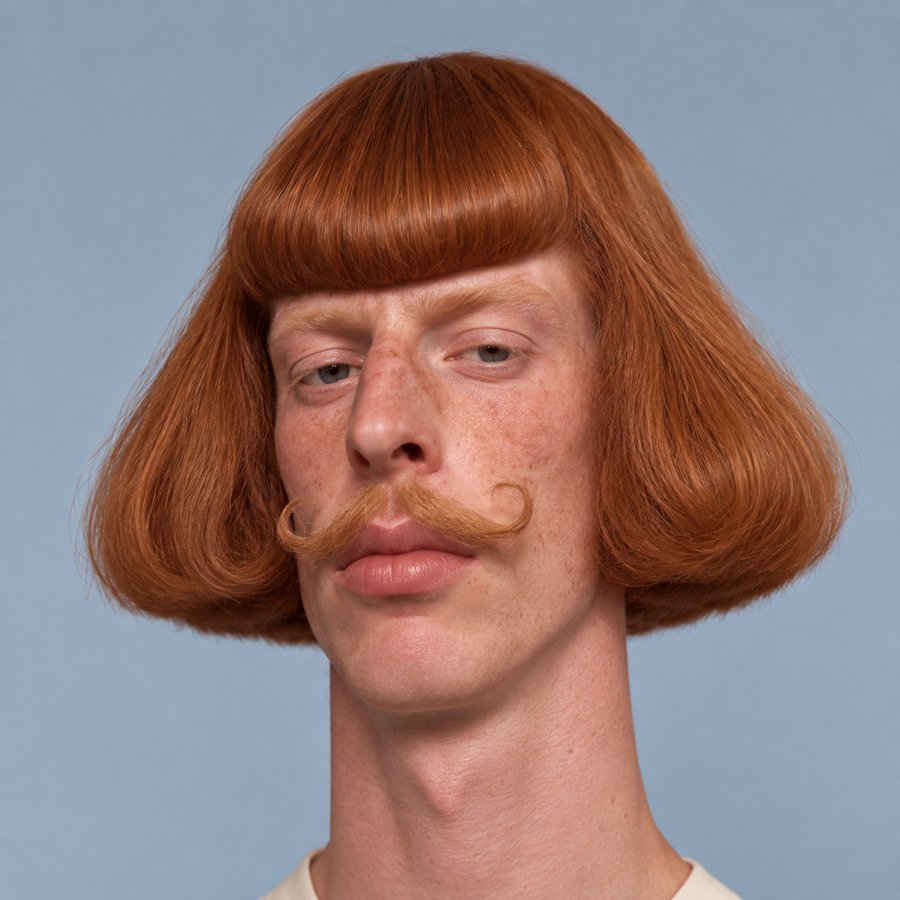
Character promptHyper-realistic editorial portrait photo of a quirky young man in his mid 20s.
Thick glossy copper-auburn hair cut into a perfectly blunt bowl bob with heavy
straight bangs, the ends flaring out wide like a bell. A long, elegant curled
handlebar mustache in the same copper tone. Pale skin with natural freckles and
visible pores, very long slender neck, slightly droopy half-closed eyes, an
unimpressed deadpan expression, lips slightly pouted.
He wears a plain cream crew-neck t-shirt.
Framing: chest-up, head and shoulders fully visible, centered, facing the camera.
Background: flat dusty-blue studio backdrop.
Lighting: soft even studio light, shot on a medium format camera, sharp focus.
No filters, no retouching, no text. Vertical 9:16.
💡 Tip: Keep the head and upper body clearly visible with nothing covering them. Replace Actor needs that to work well.
Step 2
Find your trending video
Save a trending video where one person is on camera. Clear lighting and a person facing the camera give the best result.
💡 Tip: The person should take up a good part of the frame, head and upper body visible. Tiny people far away in the background won't work.
Step 3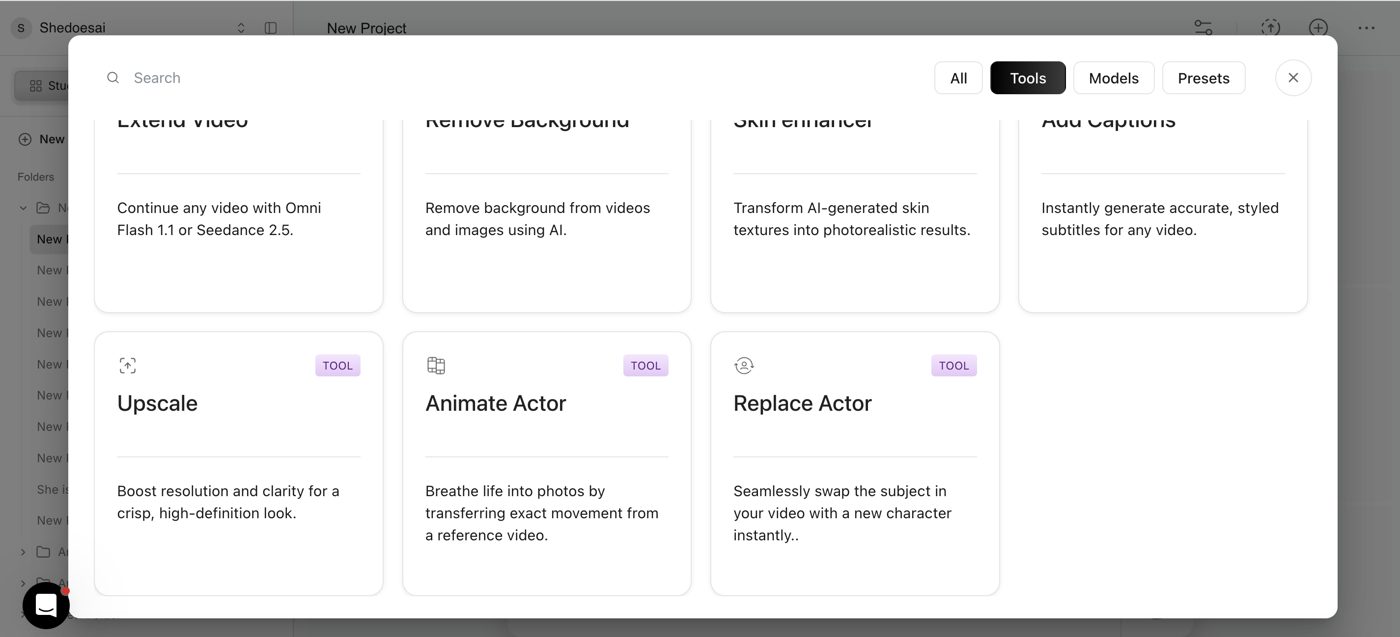
Put your character into the video
- Go to Arcads and click See more.
- Under Tools, find Replace Actor.
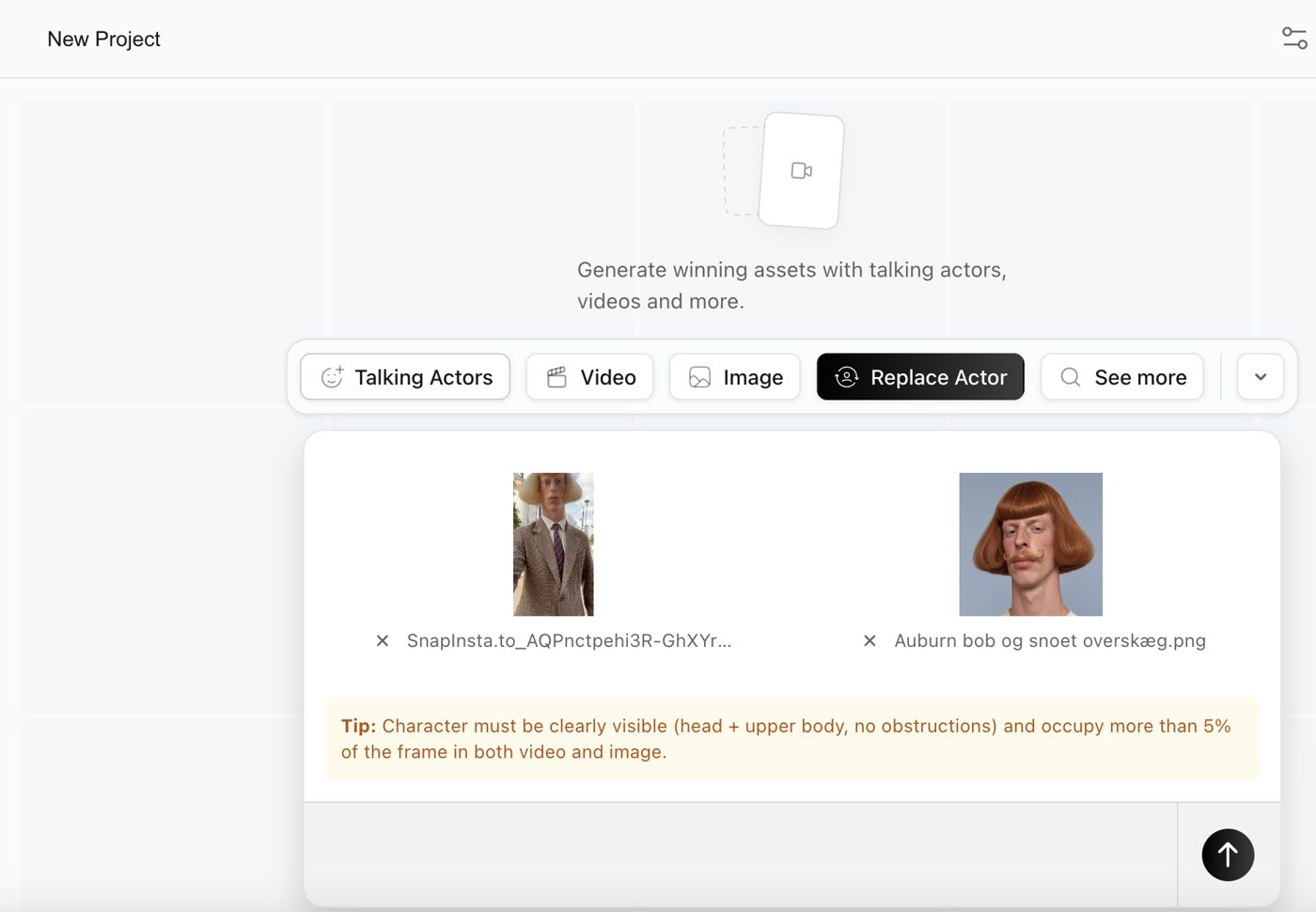
- Upload your character from Step 1.
- Upload the trending video.
- Hit generate. After a few minutes, Arcads recreates the video with your character doing the exact same moves.
🔁 Not happy? Generate again, or try a new version of your character from Step 1.
Make it your own
My tips
1
One signature detail. Give your character something people remember: a hairstyle, a mustache, a colour.
2
Same character, every video. Use it across every post, so people start recognising it.
3
Only use clips you're allowed to use. And label your post as AI-generated wherever the platform asks.
Tag me @shedoesai if you make one, I'd love to see it ♡
Want to edit every reel with Claude?
The Claude Editing Challenge: 7 days from idea to finished reel.