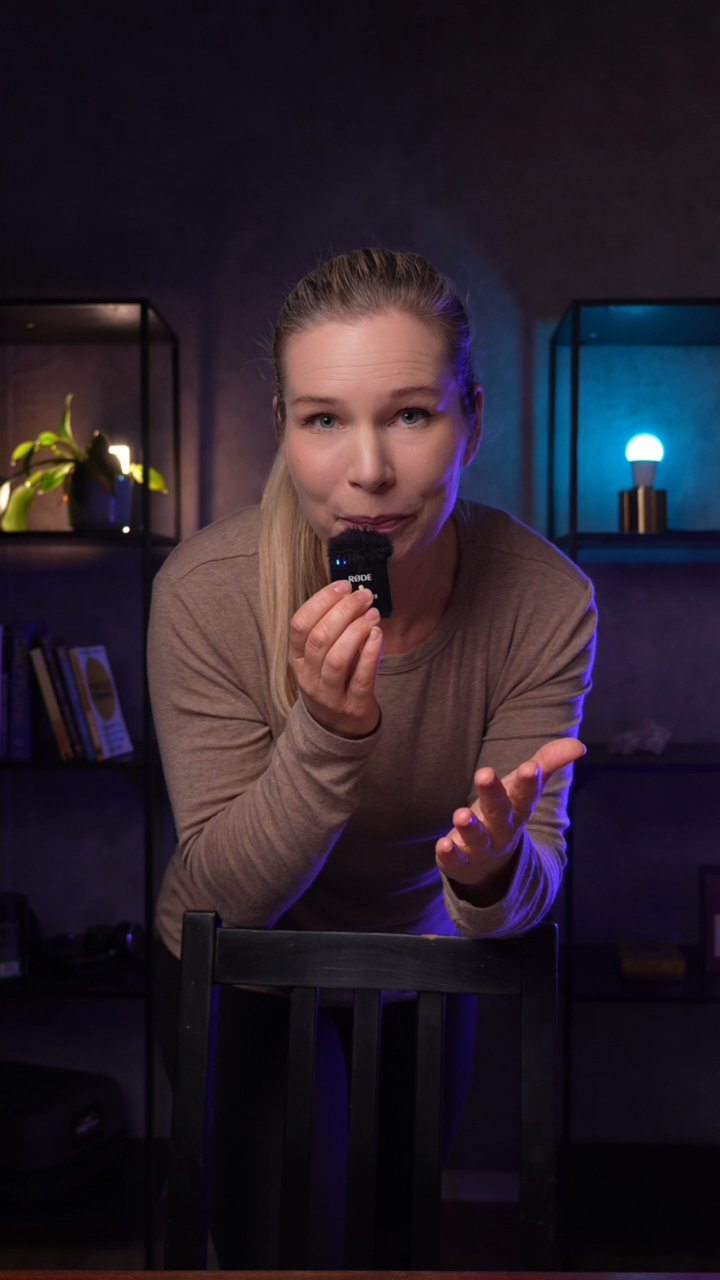
This is everything I use to edit my reels with Claude, in one guide. Part 1 shows exactly how I get Claude to edit a raw clip: cuts, captions and effects. No coding, no terminal. Part 2 is my full effects pack: 32 effects from my reels, each with the exact prompt I use.
✂️ Claude + Hyperframes✨ 32 effects🧩 Free skill file
edited by Claude
Before you start
What you need
A paid Claude planWith Cowork, it's in the Claude app.
One raw clipA talking head clip, straight from your phone is fine.
part 1
Edit your reels with Claude
I just chat with Claude in Cowork, like I would with an editor. Here's how.
Step 1
Start a project for your reels
Open Claude, go to Cowork and create a project, for example "My reels". Give each new video its own chat inside the project, so everything stays in one place.
Step 2
Let Claude set up Hyperframes
Hyperframes is the free, open source tool Claude uses to build and render the video. You don't install anything yourself. Just paste this into the chat:
Please set up Hyperframes (github.com/heygen-com/hyperframes) and use it to edit my reels.
Claude takes care of the rest.
Step 3
Upload your video and script
Drop your raw clip into the chat and paste your script. Then send something like this:
Edit this into a vertical 9:16 reel. Transcribe it and compare it to my script. Cut out the pauses and bad takes, but keep my reactions. Add small captions written from the script and timed to my voice. Keep all text inside the TikTok and Instagram safe zone. Send me a 1080x1920 version to check.
Claude cuts, adds captions and sends the video back to you in the chat.
Step 4
Add effects
Now the fun part. Tell Claude which effect you want on which word, for example:
When I say "whoa", put text behind me. When I say "camera shake", shake the frame. Add a zoom at every jump cut. Use one accent color: orange.
The more specific you are about the word and the moment, the better it lands. Want ready-made effects? That's Part 2.
Step 5
Give feedback, then get the final
Watch it and just say what to change, like "captions a bit smaller" or "move the logo earlier". Ask for a new numbered version each time (v1, v2, v3) so you can always go back.
When you love it, say:
Looks great, send me the final in 4K.
Download, post, done.
My editing tips
My editing tips
1
Your script is the truth. Ask Claude to write captions from your script, not from what it heard. It sometimes mishears words.
2
One change at a time. Small rounds of feedback get better results than one long list.
3
Save what works. When you find a style you like, ask Claude to remember it, so your next reel starts there.
Bonus: edit in any creator's style. Want your reels to look like Hormozi, Ali Abdaal or Dan Koe? Claude can do that too. The real magic is mixing a few styles into one that's only yours.
part 2
32 Claude effects for your reels
These are the effects from my reels, and each one comes with the exact prompt I use.
Once, 2 minutes
Make /effects work for you
In my reels I just type "/effects magazine" and Claude knows what to do. That works because I gave Claude a skill called effects. The fastest way: download my ready-made skill file (all 32 effects), upload it in Cowork and write "Save this file as a skill called effects".
effects-SKILL.mdAll 32 effects, ready to save as a skill
Make me a skill called "effects". When I write /effects plus an effect name, apply that effect to the clip I uploaded with Hyperframes. If I only write /effects, list the effects and ask which one I want. Always make a 1080x1920 preview first and only render 4K when I say it's good. Keep all text and cards inside the safe zone. Use the effects and descriptions from this page as the list: [paste the prompts below here]
How to use it
How to use this pack
Upload your raw clip to the chat.
Type /effects and the name, for example /effects magazine. No skill yet? Just copy the prompt under the effect and paste it in. Same result.
Ask for a 1080x1920 preview first, then say what to change.
When you love it, ask for the final in 4K.
Every effect works on its own, so you can use one or stack a few in the same reel.
The pack
All 32 effects
1. prompt-box/effects prompt-box
A prompt box types out a short prompt, hits send and the edit kicks in. Great for showing how easy it is.
Show a white prompt box over my chest that types "Edit this like a pro. Captions, zooms, sound." Then press the orange send button, add an orange glow, punch in on my face and pop in a caption that says "edited like a pro". Keep the prompt box on screen, so people have time to read it.
2. tools-card/effects tools-card
A clean card with the only tools you use, each icon popping in. Perfect when people ask "what do you use?"
Add a cream card over the lower part of the frame with the title "The Only 3 Tools" in an italic serif. Show 3 app icons: Claude Code (edits the reel), Hyperframes (builds + renders) and FFmpeg (cuts + exports). Pop them in one at a time with a little bounce.
3. before-after/effects before-after
A slider sweeps across you, raw on one side and edited on the other. The framing stays exactly the same, so only the edit changes.
Make a before and after slider on my clip. The left side is my raw clip. The right side is the same clip at the same size, with a warmer grade, a caption and a sticker. Sweep the white slider line from right to left, then settle in the middle. Add BEFORE and AFTER labels at the top.
4. magazine/effects magazine
Turns your clip into a magazine cover, with a giant title sitting behind your head. Great as a hook in the first second.
Turn my clip into a magazine cover. Cut me out and put a huge serif title that says "YOUR NAME" in red behind my head. Add 2 short cover lines on the left, a round "NEW" sticker and a small barcode in the corner. Start with a quick white camera flash.
5. reel-wall/effects reel-wall
Your own reels fly in from the background and float behind you with view counts. Social proof in two seconds.
Cut me out and fill the background behind me with 8 thumbnails of my reels as straight cards with a white border and a view count on each. Let them fly in from the back one by one and float slowly. Add a pill at the bottom that says "5.3M views this month".
6. options/effects options
Your raw clip on top, three versions underneath, and a cursor that picks the best one. Shows exactly how you work with Claude.
On a black background, show my raw clip at the top with the title "Raw Clip". Below it, show three versions labeled A, B and C (mono, edited with captions, film look). Move a cursor over A and C, then click B, add an orange ring and a green check, and fade out the other two.
7. orbit/effects orbit
Small video cards of your best clips spin around you in a circle, passing behind you and in front of you. Perfect when you talk about your work or results.
Cut me out of the background. Make 6 small vertical video cards from these clips and let them orbit around me in a circle at chest height, passing behind me and in front of me. Keep the cards straight (not tilted), make the ones in the back smaller, and never let a card cover my face.
8. dm-cta/effects dm-cta
Your comment keyword as a bold sticker, comments flying up and a DM notification at the end. Use it as your call to action.
Add a bold sticker at the top that says "Comment CLAUDE" with a thick black border and a hard shadow. Let small comment bubbles with the word CLAUDE float up from the bottom. End with a DM notification from my handle that says "sent you the guide".
9. mascot/effects mascot
The little pixel Claude mascot peeks up over an orange line, blinks and hops. The cutest hook you can make.
Draw the Claude Code pixel mascot (orange, blocky body, two black eyes, four little legs) on my chest. Let it peek up from behind a thin orange line, blink, then hop twice with a squash on each landing and a few orange pixels flying out. Keep it below my face.
10. checklist/effects checklist
A dark card where Claude ticks off every step of the edit, one green check at a time.
Add a dark rounded card over my chest that says "Claude is editing your clip" with a counter. List 5 steps (Found your face, Cut the silences, Added captions, Graded the colour, Rendered in 4K) and tick them off one by one with a green check and a small detail on the right.
11. glass-widgets/effects glass-widgets
Frosted glass widgets with your stats float around you, like an iPhone home screen.
Add 4 frosted glass widgets around me, never over my face: today's views as a big number, a ring that fills up while it says Rendering 4K, a small bar chart of my top reels, and a follower counter that ticks up in green. Pop them in one by one and let them float gently.
12. search-bar/effects search-bar
A search bar types your question, the suggestions drop down and the right one gets picked.
Show a white rounded search bar over my chest that types "how to edit reels with AI". Drop down 3 suggestions and highlight and tap "how to edit reels with AI in Claude".
13. notifications/effects notifications
iPhone notifications stack up on your chest, one after the other.
Add iOS lock screen notification banners over my chest. Let 4 of them slide in from the bottom one after another, pushing the older ones up: Claude says your reel is rendered in 4K, then likes, a new follower and a 100K views alert. Keep them clean and readable.
14. pixel-title/effects pixel-title
Split screen: a Claude Code welcome screen with a glitchy pixel title on top, you below, and a tiny mascot running along the line.
Split the screen in two. Top half: black with faint orange code falling like rain, a box that says "Welcome to Claude Code!" and a big pixel font title "CLAUDE CODE" that glitches in red and blue for a moment, then settles in orange. Bottom half: me. Let a tiny pixel mascot run along the orange line between them.
15. timeline/effects timeline
An editor timeline on top with a playhead racing through your clips, you below.
Split the screen: on top a cream background with "Claude renders it" and a dark editor window with a video track made of thumbnails from my clip, a captions track and a waveform. Move the playhead across with a percent counter. Bottom half: me.
16. comment-reply/effects comment-reply
A real looking Instagram comment: someone asks how you edit, you like it and reply.
Add an Instagram comment sheet in dark mode over my chest. A follower comments "how do you edit like this?? the effects are insane". Tap the heart so the count goes up and "liked by creator" appears, then slide in my reply with my verified handle: "it's all Claude. comment CLAUDE and I'll send them".
17. airdrop/effects airdrop
Claude AirDrops you the finished 4K file. Tap Accept and it's saved to Photos.
Add an iOS AirDrop sheet over my chest that says "Claude Code would like to share a video", with a thumbnail of my clip and "reel_final_4k.mp4 · 2160x3840". Tap Accept, fill a blue progress bar, then show a green "Saved to Photos".
18. tweet-card/effects tweet-card
A tweet from you pops up and the likes count up fast.
Add a white tweet card centered on my chest with my name, a verified badge and my handle, saying "I haven't opened an editing app in 3 months. Claude does all of it." Let the replies, reposts and likes count up fast.
19. phone-remote/effects phone-remote
A small phone slides in next to you and edits your reel from Claude Code.
Slide a small phone in next to me (never over my face) showing Claude Code with the pixel mascot and "Remote Control · connected". Send a message that says "edit my reel", then show "Editing..." and "Done · 4K".
20. analytics/effects analytics
Instagram insights where your views shoot up and the graph draws itself.
Add a dark Instagram-style insights card over my chest. Count "Views" up to 1.2M, show a green "+312% vs. previous 30 days", draw a smooth purple-pink-orange curve with a glowing dot at the end, and fill a followers vs non-followers bar.
21. dm-inbox/effects dm-inbox
Your DM inbox floods with people writing CLAUDE.
Add a dark Instagram DM inbox over my chest with my verified handle at the top. Let new messages slide in at the top one after another, each saying "CLAUDE · now" with a blue unread dot, while the Requests counter climbs.
22. documentary/effects documentary
Black and white documentary title with a Follow click.
Turn my clip black and white with dark edges at the top and bottom. Slam in "NO EDITOR. NO APPS. JUST CLAUDE." from the left with the last word in my accent color, add a lower third with my name and handle, and let a cursor click Follow so it turns into Following.
23. odometer/effects odometer
A huge number rolls like an odometer and lands on your stat.
Put big bold digits on my chest that roll like an odometer and land on "30", then pop in "/30" in my accent color. Under it, type "reels edited by claude this month" in a small terminal pill with a blinking green dot.
24. spinner/effects spinner
The Claude Code "working" spinner, right on your chest.
Add a dark terminal card over my chest with the prompt "> edit my reel and make it pop", then the Claude Code spinner line: a spinning star, changing verbs (Clauding, Cutting, Captioning, Grading, Rendering) and a seconds counter. End with a green "Done. reel_final_4k.mp4".
25. mascot-build/effects mascot-build
Orange pixels storm in and slam together into the Claude mascot. Flash, shake, boom.
Let orange pixels fly in from all over the frame and slam together into a big Claude pixel mascot on my chest. On impact add an orange flash, a camera shake, a quick punch-in and a shockwave ring with Claude starbursts flying out. Then let the mascot squash, super-jump with a full spin and slam back down.
26. phone-jump/effects phone-jump
The mascot blasts out of your phone and lands on your chest.
Slide a small phone in next to me with Claude Code and a tiny pixel mascot on the screen. Let the phone rattle and glow orange, then the mascot blasts out with a flip, grows huge in the air and lands on an orange line on my chest with a flash, camera shake and dust. End with a backflip.
27. mascot-cool/effects mascot-cool
Pixel sunglasses slam onto the mascot. Deal with it.
Pop the pixel mascot up on my chest. Slam pixel sunglasses down onto its eyes with a punch-in, flash and shake, add white glints on the lenses, slam in "DEAL WITH IT" with an RGB glitch, then drop in "EDITED BY CLAUDE" letter by letter while the mascot nods.
28. claude-chat/effects claude-chat
Claude answers in the chat, then your views explode.
Add a cream Claude chat card over my chest. I ask "make my reel go viral" and Claude's reply streams in word by word with a spinning orange starburst. Then slam a huge view counter in above my head that counts up to 2.1M VIEWS, with an orange flash, a shake and a burst of starbursts.
29. mascot-talk/effects mascot-talk
The mascot spills the secret in a comic bubble.
Pop a bigger pixel mascot up next to my chest, vibrating with excitement. Slam in a comic speech bubble and punch the words "PSST... I EDITED THIS WHOLE VIDEO!" in one by one in a pixel font, each with a small shake. End with a shake, an orange flash and pixel hearts flying up.
30. cli-welcome/effects cli-welcome
Claude Code boots up, then shatters into pixels.
Glitch in the Claude Code welcome panel (pixel mascot, "Welcome to Claude Code!", cwd line) with red and blue edges over falling orange code. Type "/effects" and show suggestions. On enter, shatter the panel into flying pixels with a flash, shake and punch-in, and drop the mascot from above onto my chest.
31. mascot-army/effects mascot-army
A stampede of mascots, then a giant boss drops from the sky.
Let two rows of pixel mascots stampede in from opposite sides along an orange line and do a wave jump. Then drop a giant boss mascot from the sky with a growing shadow. It lands with a white flash, a heavy shake, a punch-in and dust, and the small ones bounce.
32. thinking/effects thinking
Claude thinks, then the star explodes all over the screen.
Add a cream pill over my chest with the Claude starburst spinning faster and faster and shimmering text: "Thinking...", "Editing your reel...", "Rendering 4K...". On "Done." explode the star into a screen-wide storm of starbursts with an orange flash, shake and punch-in.
Bonus
Add your own effects
Made an effect you love that isn't on this list? Add it to your skill:
Add this effect to my effects skill as /effects [name], so you make it the same way every time.
What I learned
My effect tips
1
One effect per moment. Let each effect land for 1 to 2 seconds before the next one.
2
Put the best one first. Your strongest effect is your hook.
3
Keep it in the safe zone. Ask Claude to keep all text and cards away from the edges, so the app buttons don't cover them.
4
Use your own colors. Tell Claude one accent color, and every effect will match.
Have fun editing! If you make something with this, tag me @shedoesai ♡
Want to edit every reel with Claude?
The Claude Editing Challenge: 7 days from idea to finished reel.