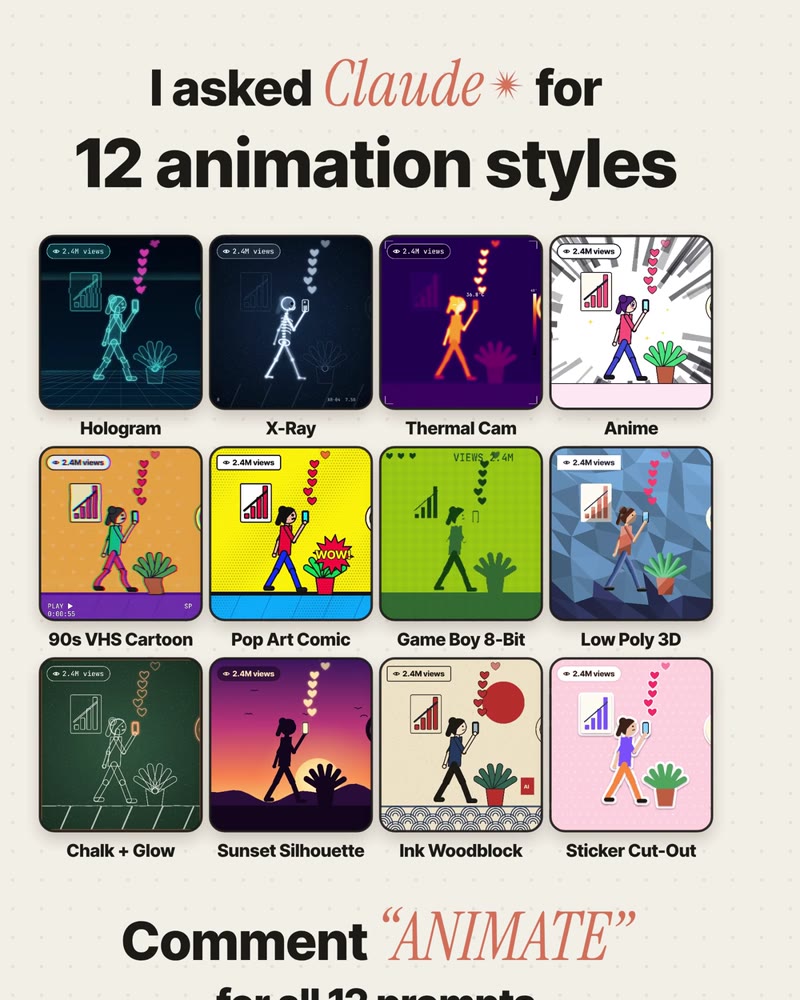
Every animation in my reel was coded by Claude. One little scene, redrawn in 12 styles. No animation app, no stock footage, no design skills. Here are the exact prompts so you can make it yourself.
✨ 13 prompts💬 Only the Claude app🎬 Ends as a vertical reel
one scene, 12 styles
Before you start
What you need
The Claude appDesktop or web. That's it.
ChromeTo open the file Claude makes and record the video.
10 minutesPlus as long as you want to play.
Step 1
Build the base scene
Start a new chat with Claude and paste this. It builds the scene that every style reuses.
Build me a looping 2D animation as a single HTML file that I can open in my browser. Draw everything with code on a canvas, no images.
The scene: a side view of a young female creator walking to the right while vlogging. She holds her phone up in front of her face with one arm, and the other arm swings as she walks. She has a hair bun with a ponytail that bounces with each step. Give her a smooth, natural walk cycle with knees bending and a small up and down bob.
She walks in place in the middle of the frame while the background scrolls slowly to the left, so it looks like she is walking through a room. The room has a window, a poster with a bar chart going up, a plant in a pot, a ring light on a stand and a desk with a laptop. The props repeat as they scroll.
Little hearts float up from her phone and fade out. In the top left corner, show a rounded pill with an eye icon and a views counter that keeps counting up, from about 1K to 2.4M views.
Format: 840 x 900 pixels, 30 fps. Keep the drawing code separate from the style (colors, outlines, effects), because I will ask you to redraw the exact same scene in different styles next.
Claude gives you an HTML file. Open it in your browser and you'll see her walking.
Step 2
The 12 styles
Paste one prompt at a time in the same chat. Each one redraws the same scene. Same order as my reel.
1. Hologram
Glowing cyan sci-fi lines, scanlines and little glitches.
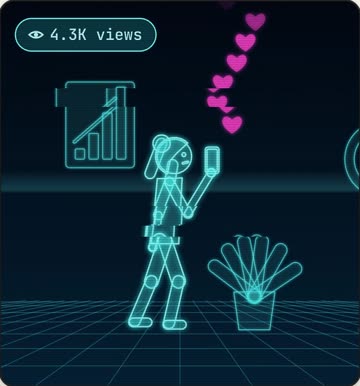
Redraw the same scene as a sci-fi hologram. Dark navy background with a glowing cyan perspective grid on the floor. Draw everything as glowing cyan outlines with a very faint transparent fill. Add horizontal scanlines, a soft light bar that sweeps down the screen, a subtle flicker, and every now and then a quick glitch where a few horizontal slices jump sideways. Make the hearts glowing pink.
2. X-Ray
You see her skeleton walk. Unexpected and a bit funny.
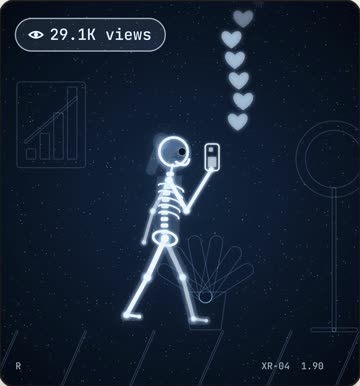
Redraw the same scene as an X-ray. Dark blue-black background. Her body is a soft, see-through bluish glow, and inside it you see her glowing white skeleton walking: skull, spine, ribs, pelvis and all the leg and arm bones, moving with the walk. The phone shows its battery and chip inside. Props are only faint outlines. Add film grain and small scanner text in the corners.
3. Thermal Cam
Heat colors with a live temperature on her head.
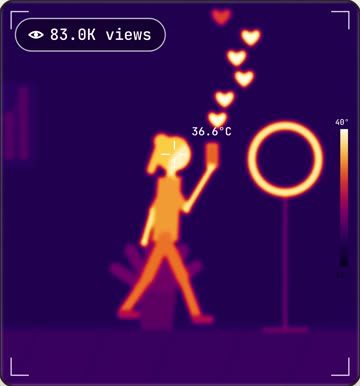
Redraw the same scene as a thermal camera. Give every object a heat value (her skin hottest, the ring light and phone warm, the window coldest), blur it slightly, and color it with a thermal palette from black and purple through red and orange to yellow and white. Add a white crosshair on her head with a live temperature like 36.6°C, a temperature scale bar on the right and white corner brackets.
4. Anime
Speed lines, cel colors and a big shiny anime eye.
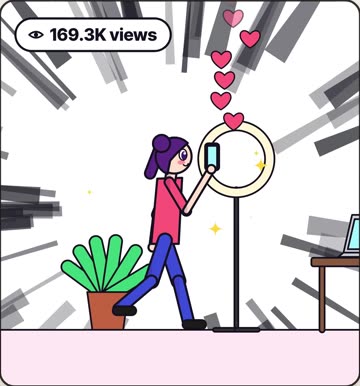
Redraw the same scene in anime style. White background with black speed lines bursting out from behind her and flickering. Bright cel colors with bold black outlines and a simple shadow on one side of each shape. Give her a big shiny anime eye, a little blush and a smile. Add small yellow sparkles twinkling around her.
5. 90s VHS Cartoon
A Saturday morning cartoon played from an old tape.
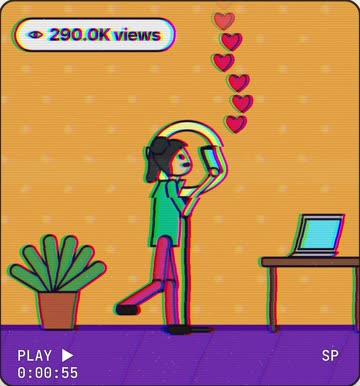
Redraw the same scene as a 90s Saturday morning cartoon played from an old VHS tape. Saturated cartoon colors with thick dark outlines, an orange wall with a dot pattern and a purple floor. Then add the VHS look: red and blue color fringing, a wobbly tracking band rolling down the screen, noise, scanlines, and "PLAY ▶" plus a running tape counter in the corners in a VCR font.
6. Pop Art Comic
Primary colors, halftone dots and a WOW! burst.
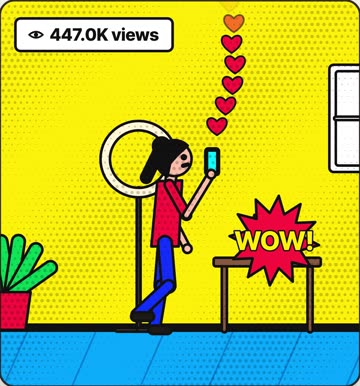
Redraw the same scene as pop art comic. Bold flat primary colors (yellow wall, blue floor, red top, blue pants), thick black outlines and a halftone dot pattern over everything. Every time the style appears, a red starburst with "WOW!" pops in with a bouncy scale.
7. Game Boy 8-Bit
Four greens and chunky pixels, like the old handheld.
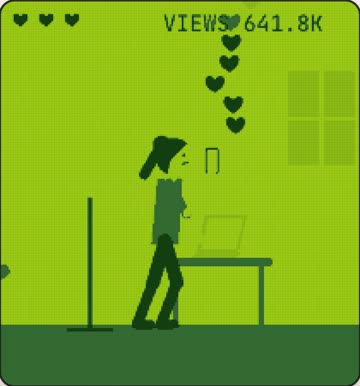
Redraw the same scene as an original Game Boy game. Render it at a very low resolution, then scale it up with sharp pixels, using only the 4 classic Game Boy greens. Add a tiny pixel HUD with 3 hearts and the views counter at the top, and a faint pixel grid over the screen.
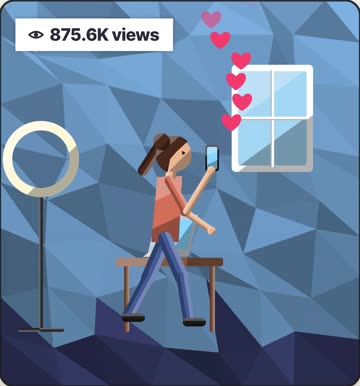
8. Low Poly 3D
A faceted triangle world with hard light and shadow.
Redraw the same scene as low poly 3D. The background is a mesh of triangles in blue tones with slightly different brightness, like a faceted 3D world. Shade every shape of her and the props with hard flat facets: a light side, a mid tone and a dark side, as if lit from the top left.
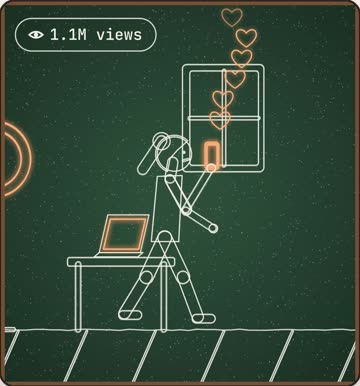
9. Chalk + Glow
Wobbly chalk on a board, with a few neon orange details.
Redraw the same scene as chalk drawing on a green chalkboard with a wooden frame. Everything is drawn in slightly wobbly white chalk lines that jitter a little every frame, with chalk dust texture on the board. Only the phone, the ring light and the hearts glow in warm orange, like neon chalk.
10. Sunset Silhouette
Black silhouettes against a big glowing sunset.
Redraw the same scene outdoors at sunset. A gradient sky from deep purple through pink to orange, a big glowing sun low behind her, rolling hills and a few birds flapping across. She and the props are pure black silhouettes. Only her phone screen glows, and the hearts are warm golden.
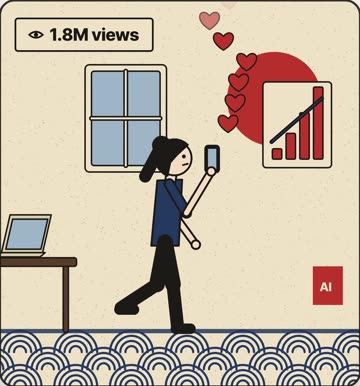
11. Ink Woodblock
A Japanese print with waves, a red sun and bold ink lines.
Redraw the same scene as a Japanese woodblock print. Cream paper with a subtle grain, a big red sun in the background and rows of indigo wave patterns along the bottom that scroll slowly. Use only indigo, red, cream and black, with bold black brush outlines. Add a small red seal stamp.
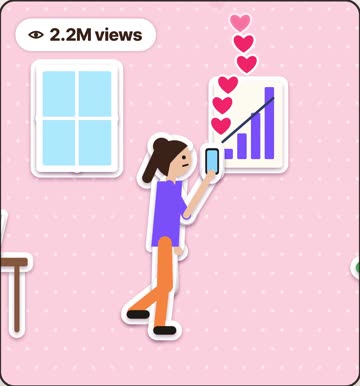
12. Sticker Cut-Out
Everything is a sticker with a white border and a shadow.
Redraw the same scene as stickers. A pastel pink background with a white polka dot pattern. Each prop and the creator is its own sticker with a thick white border and a soft drop shadow, like they were cut out and stuck on. Bright, playful colors.
Step 3
Turn it into a reel
When you have the styles you like, paste this to put them together like my reel:
Now combine the styles into one vertical reel as a single HTML file, 1080 x 1920. Show the scene in a big rounded card in the middle with a title above it and the style name with a number below it. Play each style for 1.2 seconds, with a quick wipe from top to bottom between styles, and keep her walk going without a jump when the style changes. Add a progress bar with one segment per style. End with a grid of all the styles playing at once. Add a Record button that saves the whole thing as a video file I can download.
Open the file in Chrome, press Record and you have your video. If the Record button gives you trouble, a screen recording of the page works too.
What I learned
My tips
1
Your result won't look exactly like mine. That's the fun part. If something looks off, say it in plain words, like "the ponytail looks stiff, make it swing more".
2
Change the character. Describe someone else in step 1: a cat, a robot, you.
3
Invent your own style. Copy any style prompt and swap the description. Claude keeps the same scene.
Have fun! If you make one, tag me @shedoesai ♡
Want to edit every reel with Claude?
The Claude Editing Challenge: 7 days from idea to finished reel.